Python string
A Python string is an ordered sequence of characters used for text, names, labels, and formatted output.
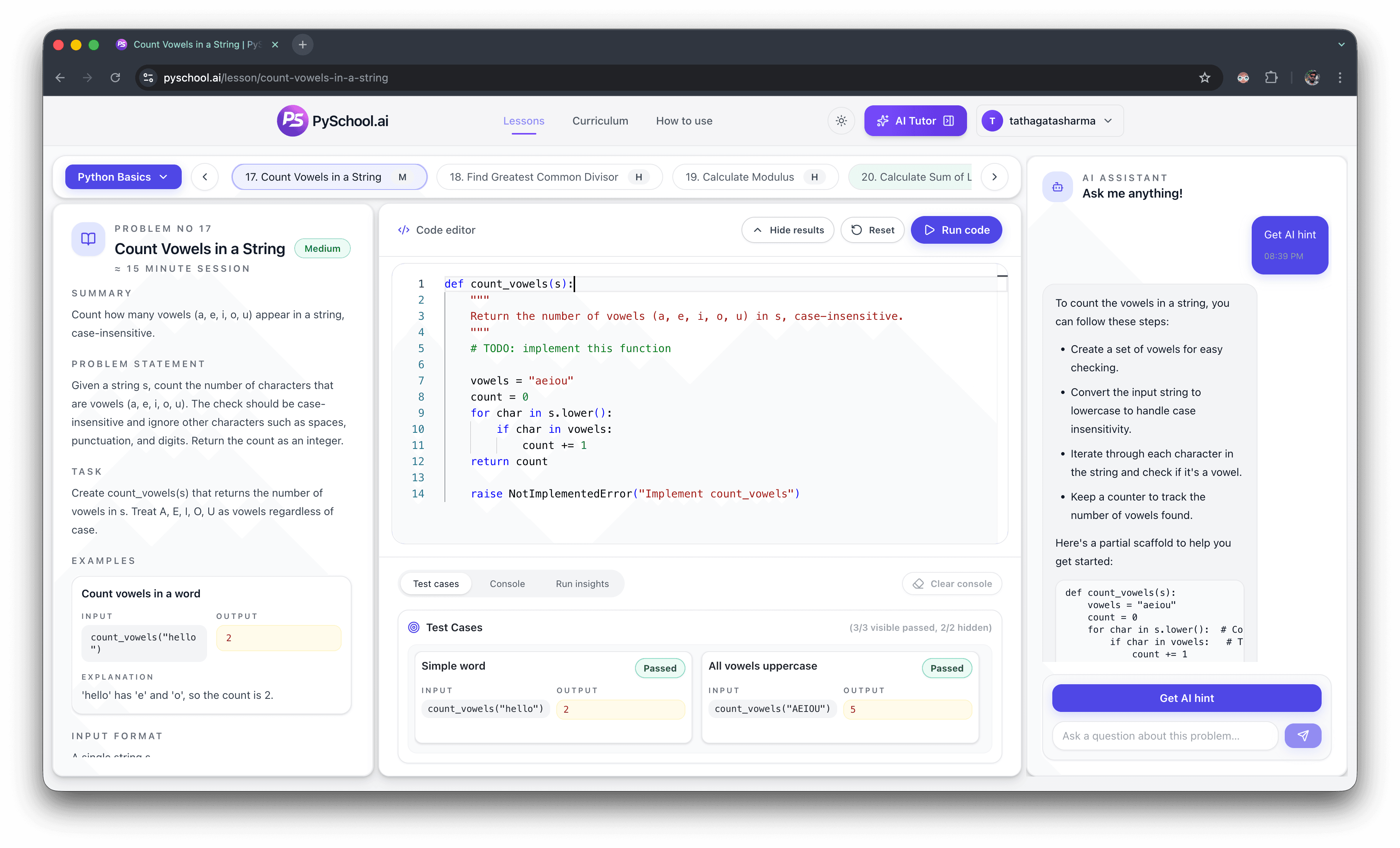
Python strings practice
String questions look simple, but they test indexing, exact output, loops, casing, and edge cases. This hub gives you a focused path from basic text values into traversal and character counting.
Core skill
Handle exact text output and character-level logic
Best start
Store, combine, and format strings
Next layer
Traversal, filtering, and counting
Crawl safety
Locked lessons point to public curriculum navigation
Editorial trust
Hub pages are curated from the live curriculum, public lesson previews, and tested practice paths so learners and search systems can see the scope before opening individual lessons.
See the PySchool.ai editorial policy for how practice content is generated, reviewed, tested, and updated.
Direct answer
Python strings practice should begin with storing, combining, and formatting text, then move into traversal, slicing, normalization, and character counting. String exercises are useful because they punish small output mistakes: one missing space, wrong case, or skipped character can break the answer, so they train exact reading and careful tests.
A Python string is an ordered sequence of characters used for text, names, labels, and formatted output.
String traversal means visiting characters one at a time, usually with a loop or index.
Normalization means changing text into a consistent form, such as lowercase, before comparing or counting it.
Best exercises
Common mistakes
Read the examples carefully and normalize text only when the prompt allows it.
Test one-character and two-character strings when using indexes or slices.
Compare the expected string exactly, including spaces, punctuation, and capitalization.
Learner questions
Start with storing text, formatting output, checking palindromes, reversing strings, and counting selected characters.
Use both. Slicing is concise, but loops teach traversal and state, which you need for harder string problems.
String tests compare exact output, so missing spaces, wrong case, or extra punctuation can fail the answer.
Yes. Palindromes, anagrams, frequency counts, and traversal are common interview foundations.
Practice focus
A string exercise often fails because of one character: a missing space, the wrong case, or a loop that skips the final character. Practicing strings trains careful reading and exact output.
Start with storing and combining text, then move into formatting, traversal, skipping blank strings, and counting selected characters. Those patterns show up again in interview-style string problems later.
Exercise list
The direct lesson link is public preview. The remaining practice items are full-curriculum targets linked through the curriculum page to avoid gated crawl paths.
Text values
Assign text safely before using it in larger expressions.
Combining text
Join values into a single result while preserving exact spacing.
Formatting
Place values into readable text without hard-coding the result.
Traversal
Practice walking through text from the end back to the start.
Filtering text
Ignore blank values while preserving useful strings.
Character counting
Normalize text and count selected letters with a loop.
Practice routine
Related topic hubs
Practice exact text output, reversal, counting, and character traversal.
Practice iteration, accumulation, filtering, and loop control.
Practice indexing, scanning, transforming, and filtering list values.
Practice parameters, returns, small helpers, and reusable logic.
Use the main practice hub for beginner, topic, DSA, and interview paths.
Public preview exercises open directly as lesson pages for logged-out visitors.
Full-curriculum exercises point to the public curriculum page instead of gated lesson redirects.